tedi CLI
The official command-line client for Tediware.
tedi is the
command-line client
for the Tediware API.
There's no other tool like it for EDI professionals who work on the command line, in terminals and in CI.
Look up every X12 transaction set, segment and element. Inspect, validate and obfuscate EDI documents. Read and drive your organization's EDI traffic.
Requirements
- Node.js 18.19 or newer, which includes
npm. - An API key. X12 reference access requires acceptance of the current service terms as a condition of Tediware's X12 license. Sign up free, accept the terms, then create a key on the API keys page.
Install
Install the CLI globally with npm:
npm install -g @tediware/tediAuthenticate
Sign in once with your API key. The key is entered without echo and stored locally, so it never lands in your shell history. The key is never a command-line flag.
tedi auth login
In CI, or in a coding agent's environment, set TEDI_API_KEY
instead. There is no login step. tedi whoami confirms which
organization a key belongs to.
Look up the X12 reference
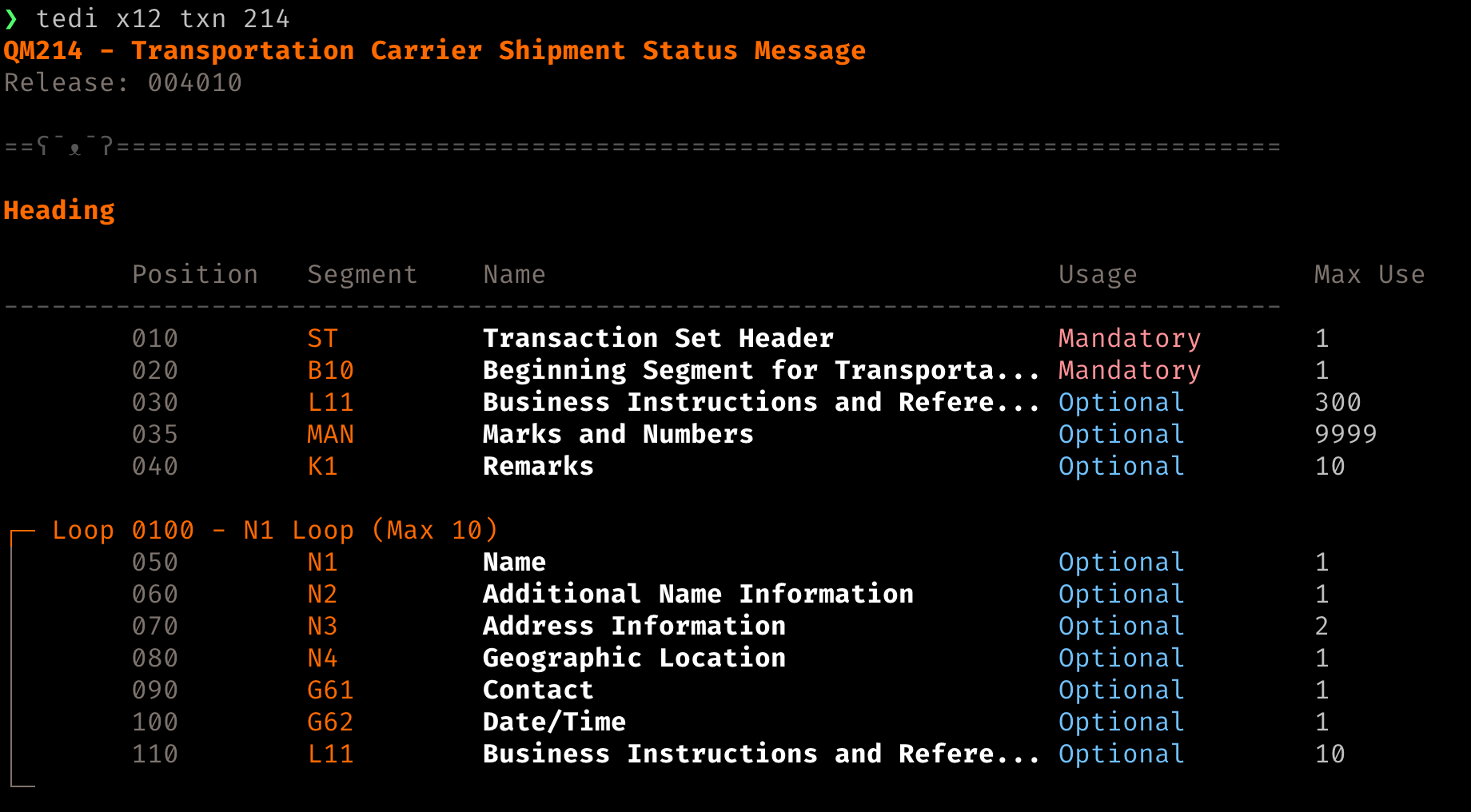
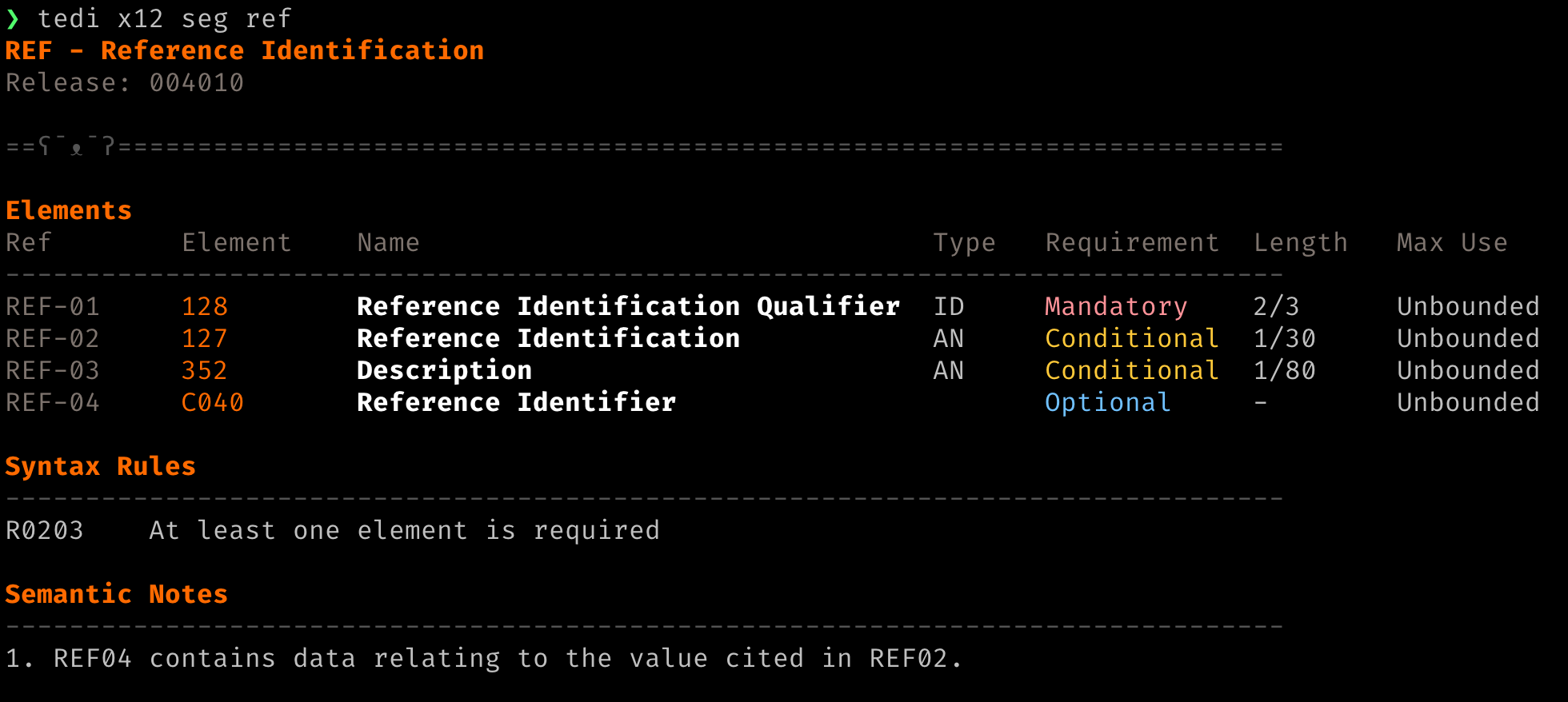
Query segments, transaction sets, and elements by id:
tedi x12 seg N1      # look up a segment
tedi x12 txn 214     # look up a transaction set
tedi x12 ele 235     # look up an element and its code list
tedi x12 releases    # list supported X12 releases
Every x12 command takes --release
to pick the X12 release and --format markdown for clean,
uncolored output you can pipe or redirect. Piped output is always complete: a code list that is
truncated in the terminal is not truncated on the other end of a pipe.
Change the default release with tedi config set:
tedi config set x12.release 005010Work with your own EDI files
The edi commands operate on a document you have:
tedi edi obfuscate invoice.edi   # replace personal data, runs locally
tedi edi inspect invoice.edi     # decode and validate a document
A real EDI file is a personal-data problem the moment it leaves your machine, whether that is to a
colleague, a support ticket, a partner, or a coding agent's context.
obfuscate is the step before any of those. It runs
entirely on your machine, needs no API key, and is format-preserving: delimiters, lengths, control
numbers and code values survive, and so do the faults, so the scrubbed file still reproduces the
problem you are chasing. It is a best-effort scrub for debugging, not a certified de-identification.
inspect sends the document to the platform and prints it
decoded against the X12 standard, with envelope details, named segments and elements, and any
compliance findings. It runs the same scrub first by default, so personal data stays on your machine
unless you pass --no-obfuscate. Add
--format markdown for uncolored output you can pipe or
redirect.
Read and drive your EDI traffic
The data commands work on your organization's own documents and take
--json for scripting:
tedi partner list                     # your partners and the sets each takes
tedi partner get ACME                 # connection, envelopes, webhooks, flows
tedi partner send ACME 850 order.json # your JSON in, EDI out to the partner
tedi partner receive ACME 850.edi     # raw partner EDI into the inbound flow
tedi trace <guid>                     # the whole run: results, feed, artifacts, logs
tedi transaction list --direction outbound --ack unacknowledged
tedi transaction get <id>             # envelope, outcome, its own artifacts
tedi transaction logs --trace <guid>  # the run's processing logs
tedi transaction resend <id>          # re-deliver an outbound document
tedi result list --status error       # the steps that failed
tedi feed list --follow               # tail delivered documents and errors
tedi artifact get <id> -o file.edi    # download stored document bytes
tedi mapping get <id> -o map.jsonata  # a mapping's current transformation
tedi implementation schema <id>       # the JSON shape a mapping targets
tedi flow list --partner ACME         # flows on a partner; connection, envelope and webhook work the same way
Every submission receipt ends with the tedi trace <guid>
line to follow it with, and tedi partner send --wait polls
that trace to a verdict and exits 1 if it errored.
A read-only API key runs every command that reads. Sending, receiving and resending need a standard key.
A sandbox key is refused with a message that says so.
--profile <name> keeps several keys and their settings
apart, such as a read-only key and a standard key for the same organization.
Connect your agent
Tediware hosts a Model Context Protocol server.
Its tools cover the same ground as the CLI, under the same key, rate limits and service terms:
interchange inspection and your own EDI traffic.
tedi mcp serve bridges it to stdio for agents that
launch MCP servers as subprocesses, using your stored key so it never has to be pasted into a
configuration file.
claude mcp add tediware -- tedi mcp serve     # Claude Code
codex mcp add tediware -- tedi mcp serve      # Codex
Clients configured by file take the same command as
{"command": "tedi", "args": ["mcp", "serve"]}.
The bridge answers the older handshake most hosts still open with, so a client connects to the
newer protocol without knowing about it.
An agent with a standard key can send documents to your trading partners on its own. Give it a read-only key by default, and keep a standard key in a second profile that you turn on only when a task needs to send:
tedi auth login --profile read-only
tedi auth login --profile standard
claude mcp add tediware -- tedi mcp serve --profile read-only
claude mcp add tediware-send -- tedi mcp serve --profile standard   # keep off until needed
Switching between read-only and standard walks through the setup.
Built for scripts and CI
Every command uses one exit-code contract, so a pipeline or a script can tell a bad document from a
run that never happened: 0 ran clean,
1 is a finding about your input, and
2 means the command did not run or its result cannot be
trusted. An expired key, a rate limit or a server too old to know an endpoint is a
2, never a pass.
Color and interactive truncation switch off when nothing is watching, so piped output is clean and
complete. - reads stdin and
-o writes a file. The repository's
AGENTS.md collects
the whole interface contract in one page.